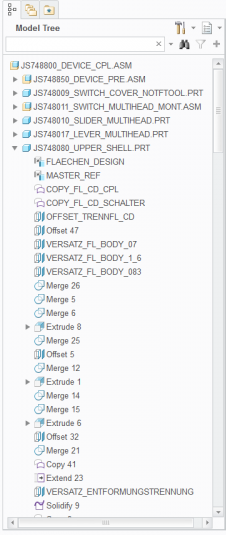
In the Creo CAD system on-premise platform, users rely on tools like Windchill to share designs, which require checking out files, editing them locally, and checking them back in. During that time, files are locked for others, making collaboration slow and project tracking challenging.
Creo+ is the SaaS version of Creo, offering cloud-based tools for real-time collaboration and simplified license management. This case study focuses on the real-time collaboration feature over 4 years of iterations.
Align with market expectations
and other collaborative SaaS design tools
Integrate design review process
previously done via PowerPoint, email, or dedicated tools directly into Creo
Improve design efficiency
and team productivity
Reduce friction
across the product lifecycle
Provide a single source of truth
for design data
Introduce a new environment into traditional software
with as seamless an experience as possible
Align to existing look and feel
Use Creo’s design guidelines and maintain familiarity for users
Revisit specific points in time
to review or branch designs
Use Creo to design various of products, from computer mouse to helicopters
For the first time, something entirely new is being introduced into the Creo ecosystem.
Although Creo is a parametric system with tightly coupled assembly dependencies, the new Collaboration capabilities behave in a fundamentally different way.
The challenge lies in designing an experience that breaks away from familiar patterns yet still feels intuitive and natively integrated into the holistic Creo environment.
To streamline development, the business decision was to leverage Creo’s existing infrastructure. One of the main challenges was maintaining a high-quality user experience without compromise.
This required a deep understanding of both the platform’s capabilities and its limitations, continuously evaluating trade-offs, and working in an agile, iterative way to refine and elevate the experience with each development cycle.
Introduce a fresh, modern experience into Creo while staying true to its established look and feel. It required balancing creative innovation with visual and interaction consistency, ensuring that the design feels both new and unmistakably Creo.
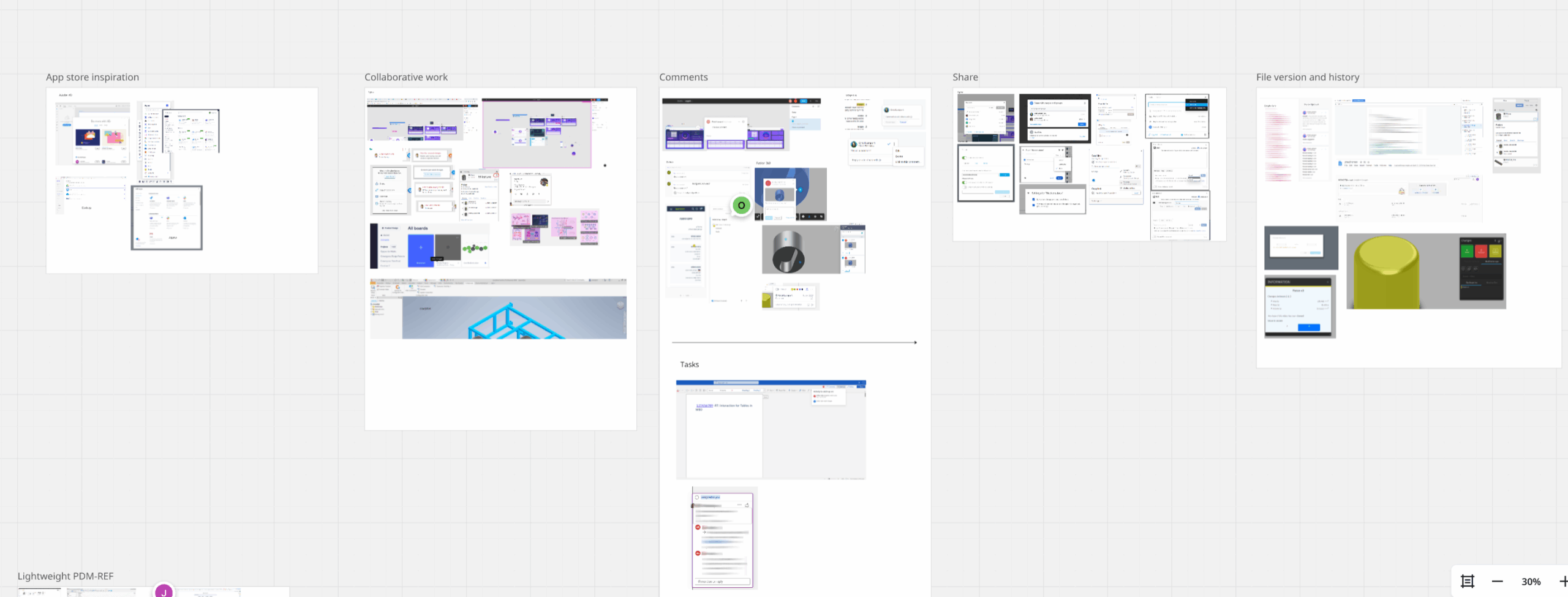
I focused on collaborative products, specifically, products with history, versioning, and audit trails, and mapped what they have in common, what is working very well.
As part of PTC’s annual event showcasing upcoming products to Design Engineers and Admins, we conducted 3 usability labs to gather user insights throughout the process.
My role included:
Research was conducted over 3 years in 3 phases: Before General Availability, Product announcement, and post release.
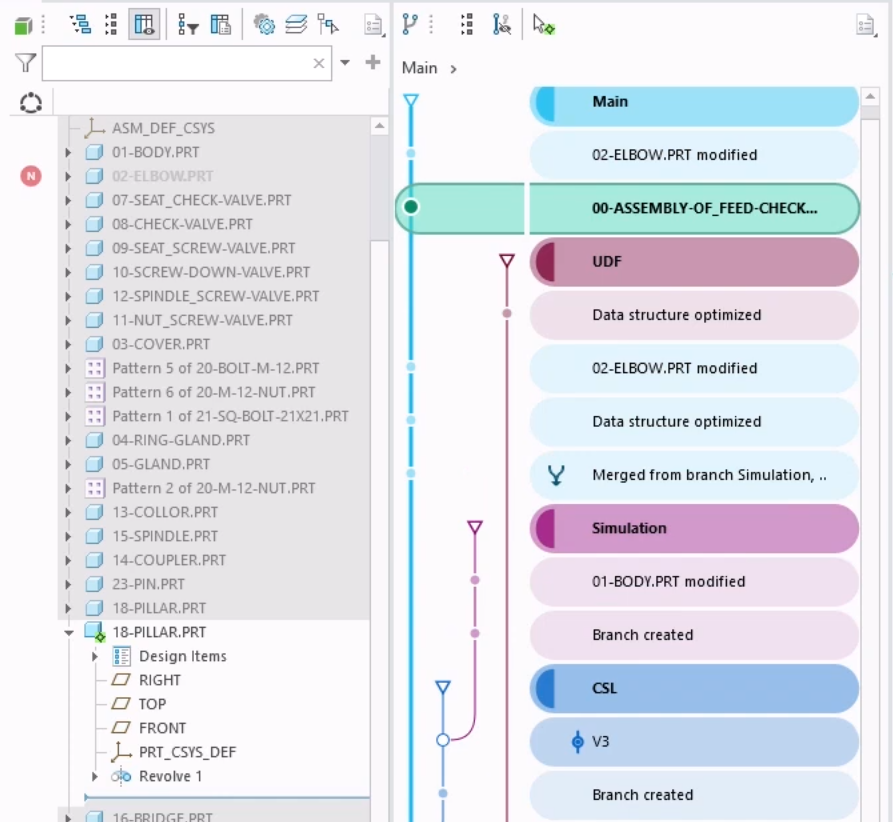
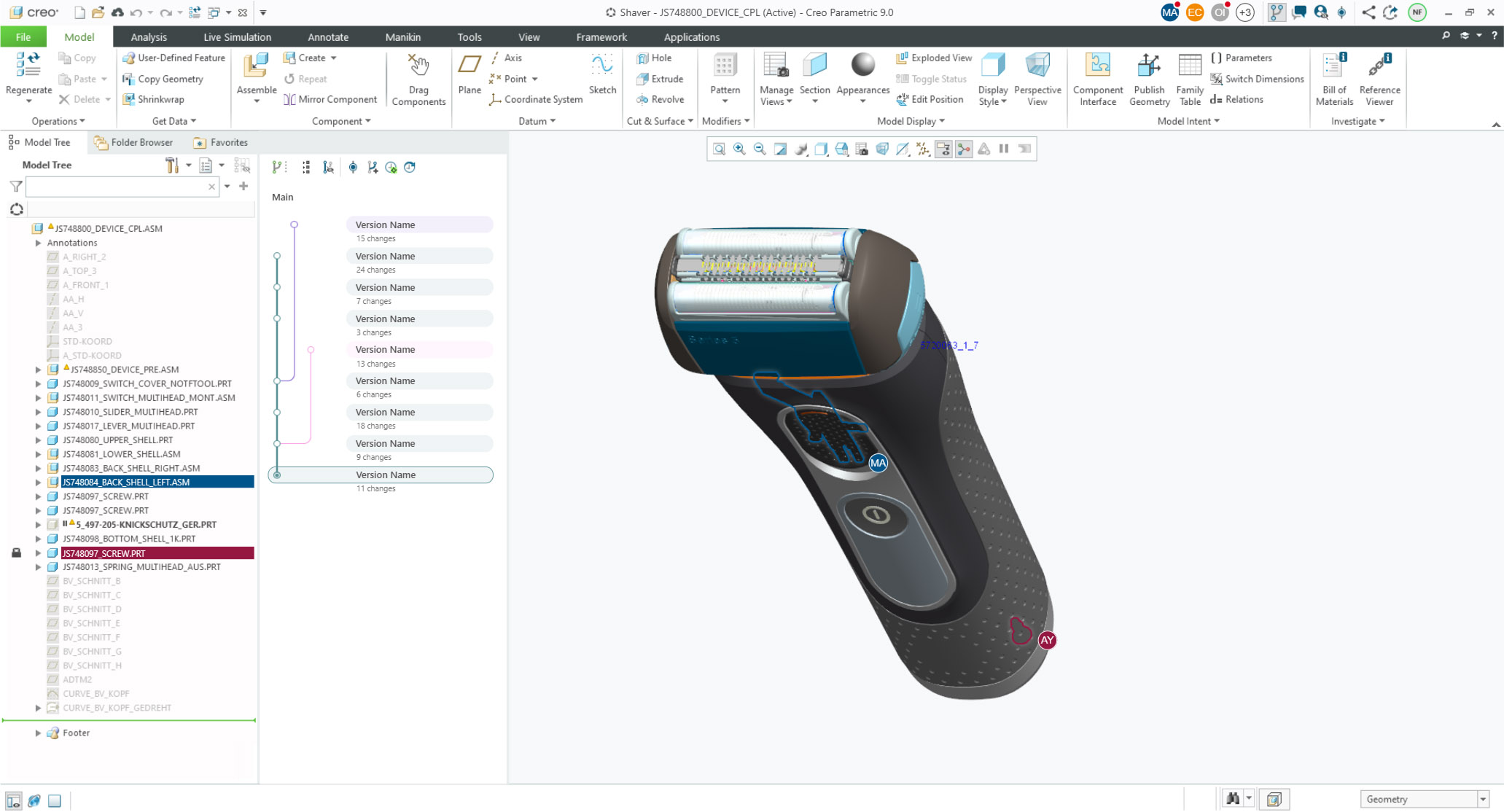
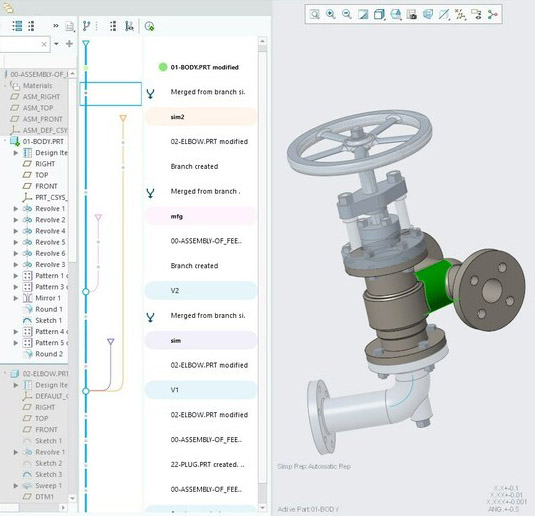
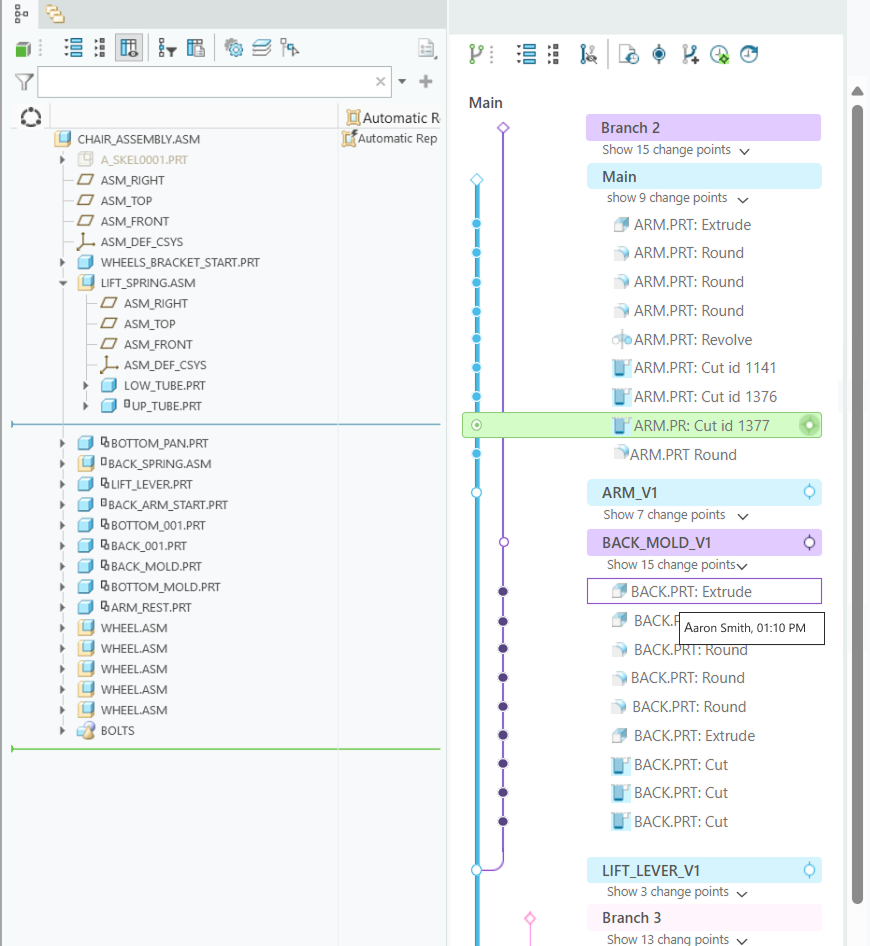
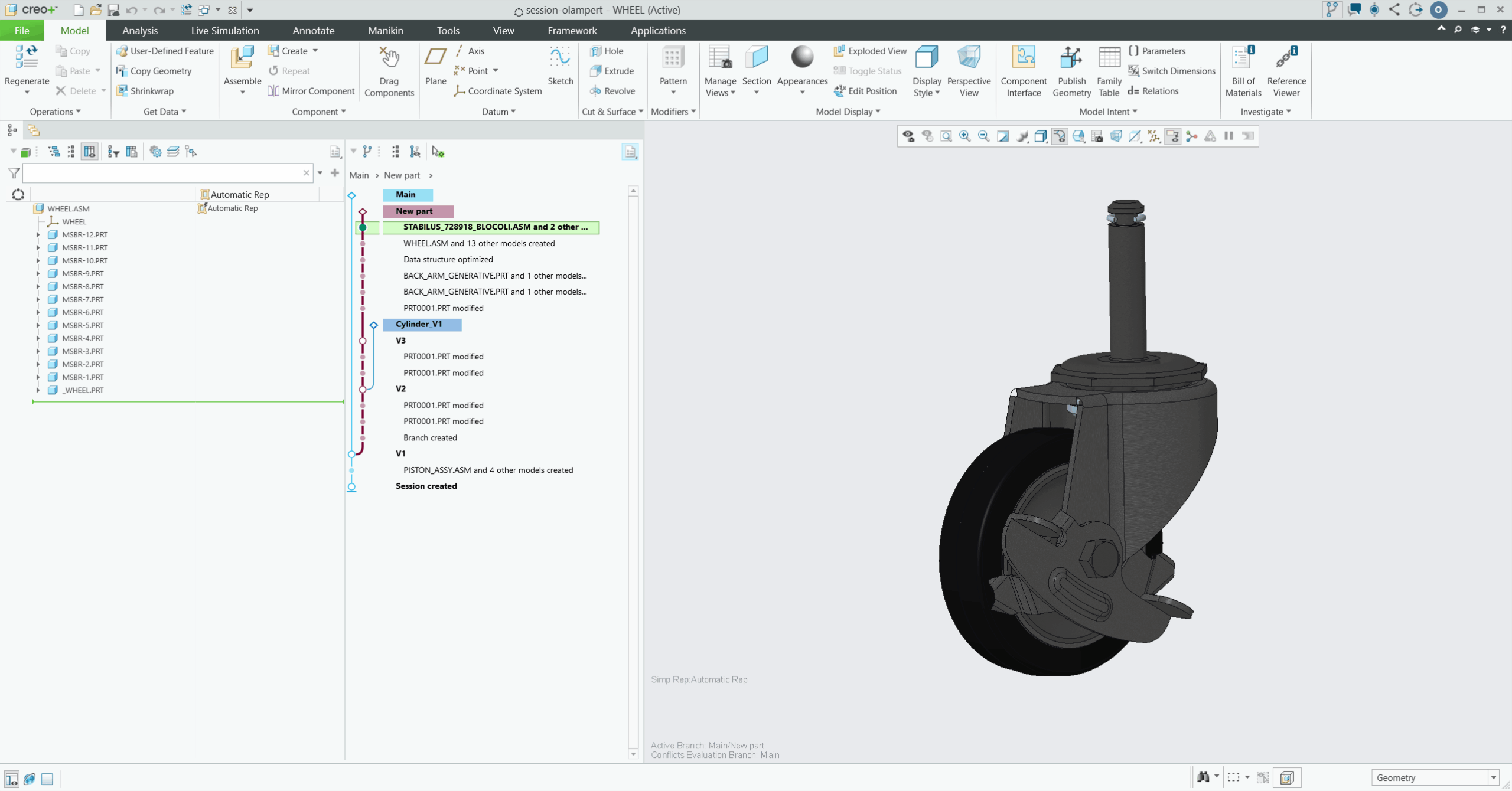
This branched based UI tracks design evolution across multiple users, enabling advanced actions like branch creation and merging.
All actions are auto-saved as entries in the history graph, with key save points promotable to “versions” marking significant design milestones.
An audit trail lets users navigate back and forth between save points.
PTC annual events UX Lab Usability Tests
Test were focused on core features, specifically joining a session, autosave, and the history graph experience. For this case study only key findings of the history graph are shown
was requested by users
Next Steps
Real-Time Collaboration was built on top of existing code, making structural design changes complex and risky.
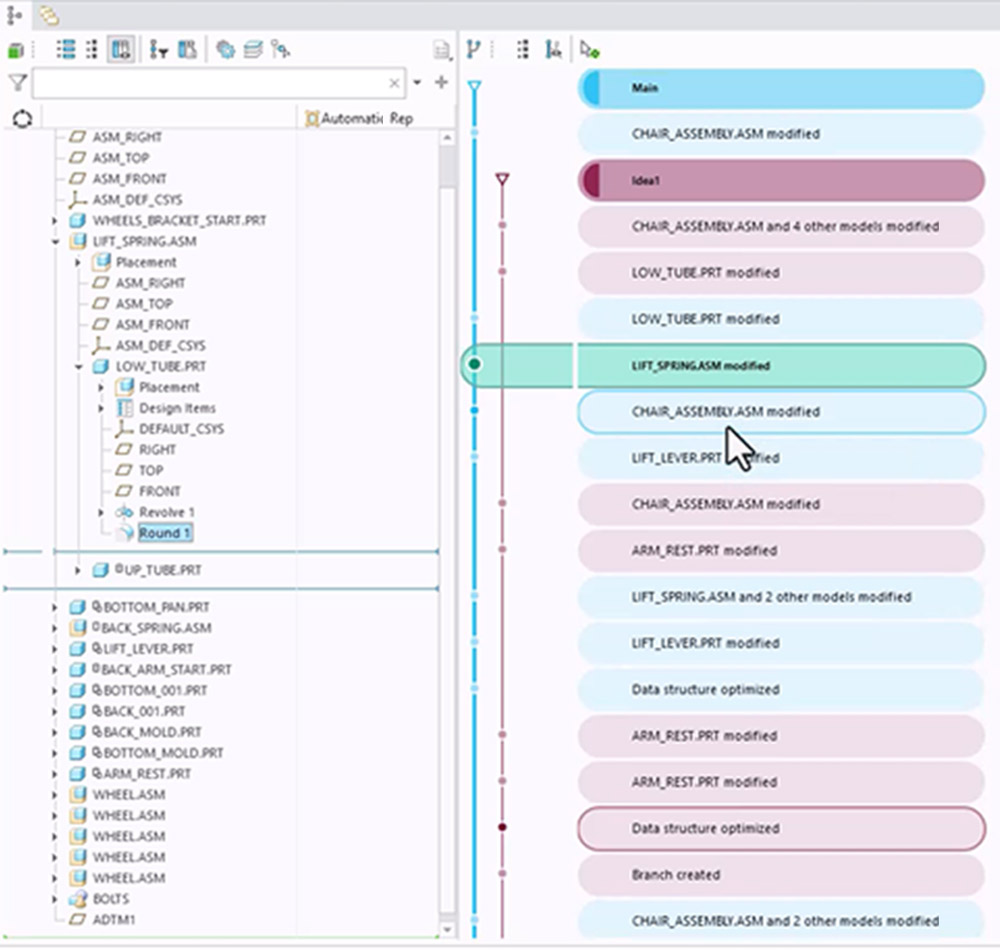
To minimize development effort, stakeholders opted to highlight branch, version, and change connections using only color - avoiding any structural adjustments.
LiveWorks Usability Tests
I initiated two design approach tests to support a more user-centered decision-making focusing on collaborative process:
Live Software
For evaluation of current implemented improvements.
History graph is timed tracked
Interactive Mockup
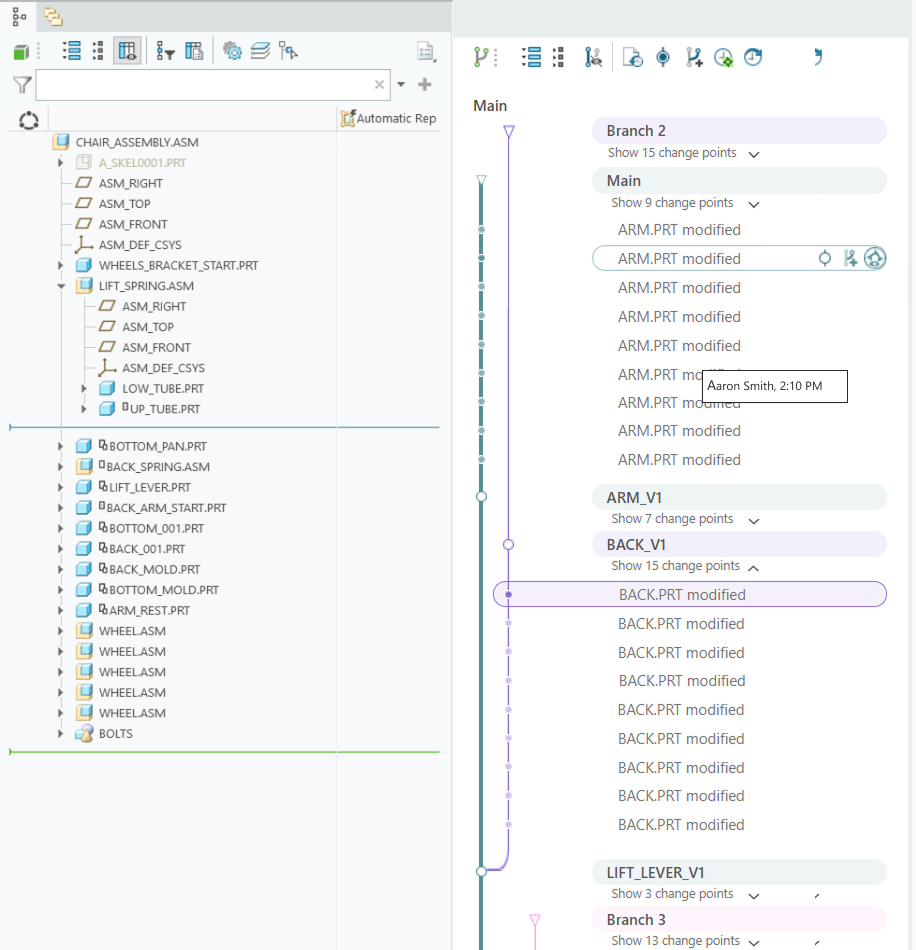
A cleaner structure with grouped branches and reduced color use
History graph is grouped in context
Different Users mental model than the history graph:
Next Steps
Research: Major changes in Creo should be done consciously, therefore we started with feasibility research to understand how the grouped approach affects the environment, in parallel get more feedback from the users.
PTC/User Annual Conference Usability Test
I initiated another UX study during PTC’s annual conference to improve on previous designs and explore two new areas:
History Graph Restructure
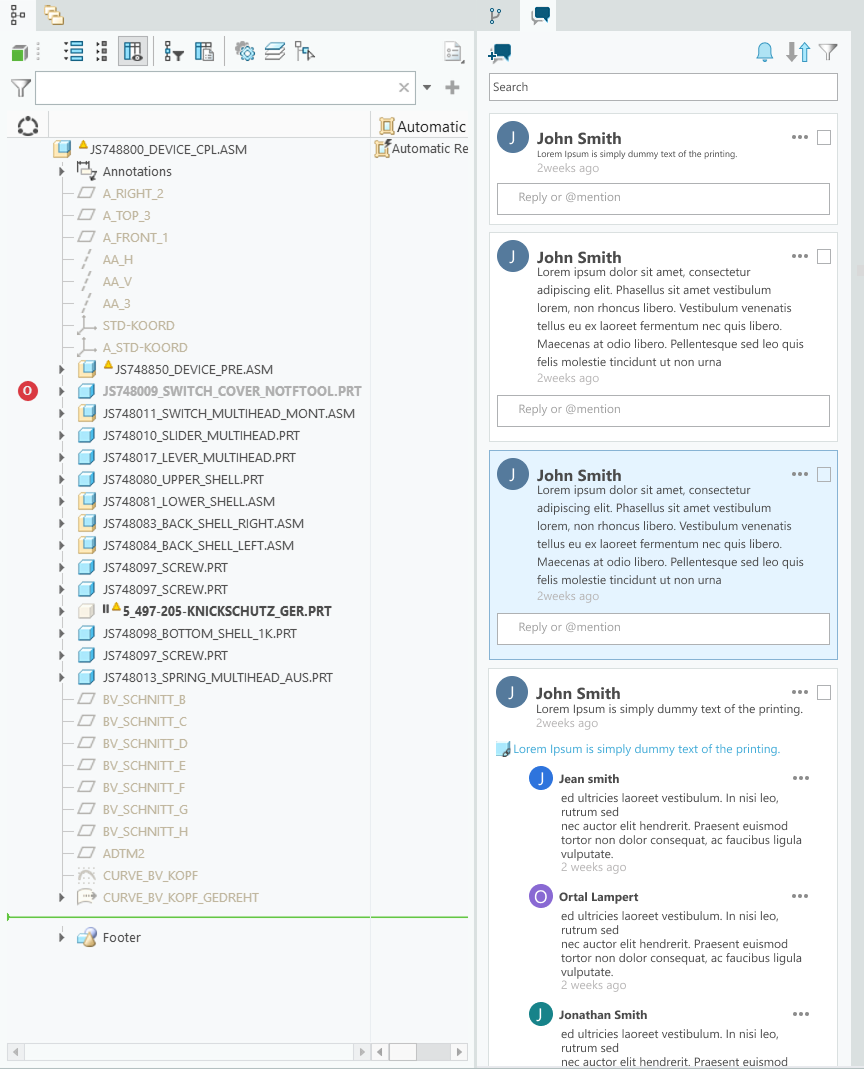
Contextual communication
Integrated feedback and discussions within the design flow
Users are resourceful and often create unexpected workarounds when facing challenges. Observing these behaviors and listening to their frustrations reveals valuable insights that drive meaningful improvements.
I aim for the most intuitive, modern UX/UI without initial limitations in mind. Legacy systems and development realities require agility. Designing, testing, and iterating ensures steady progress toward the ideal experience.
Designers connect users, stakeholders, and developers. By championing user needs and feedback, I have influenced significant changes and delivered solutions that align with both user goals and business objectives.