Ortal Lampert UX/UI

Medint onboarding

Role: UX/UI

Overview

Medint has developed a unique algorithm-base technology with the purpose of helping
 patients with rare/complicated conditions to get all the relevant information for their
special case, so they will be able to make better medical decisions. Medint also employs
 researchers and a research coordinator to deliver the information analysis for the patients. 

In this project we wanted to help patients with filling out their initial form,
mainly by making it less tedious, and more informative. 


Target users

Patients who need to make a life changing medical decision regarding their course of treatment.

They may be either sick with rare conditions or orphan diseases, which they know very little about. They are looking for information which is not easy to find.

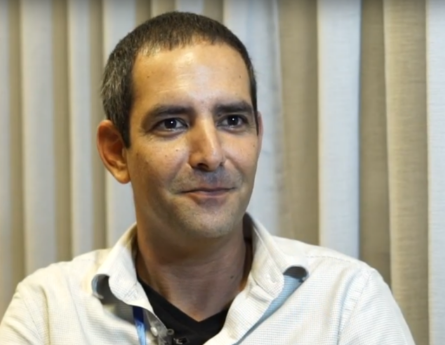
Michael & Shva

  • Found out that their boy has a very rare complex medical situation with no diagnosis.

  • He is 100% dependable and can’t be left alone at any given time.

  • Invested a lot of money on a surgery which improved but did not solve the problem

  • Physicians have no lead.

Adam

  • A 40-year-old man whose been diagnosed with Crohn’s disease at the age of 17.
  • Had endured as many as 20 different  operations. 
  • Physicians have no lead.
  • Wants to know how to better manage his disease to improve his quality of life and avoid unnecessary surgeries.  

Secondary target: Researchers

Each patients that submit his case is assigned to a researcher who will guide through the process of generating the case report.

The researchers conduct an introductory call with the patient
to gather information and to match expectations from the research.

  • Responsible for information gathering for the case
  • Analyzes the information and research databases in order to find the best possible treatment
  • Follows up with the patient after the report was submitted
  • Q&A with the patient

The challenge

The form is complicated and causes high churn rate

The case submission form was too long, complicated, and mostly included open questions (which were not intuitive to users). 

With taking into consideration the mental state of the patients when they need to fill in the form, we wanted to reduce the cognitive overload of the patient.

Some processes within the research should be automated

Having a more structured information will improve the platform’s machine-learning ability. 

This will help the patients with a more accurate report, and to do so, the onboarding form should be improved to support the technology requirements. 

The solution

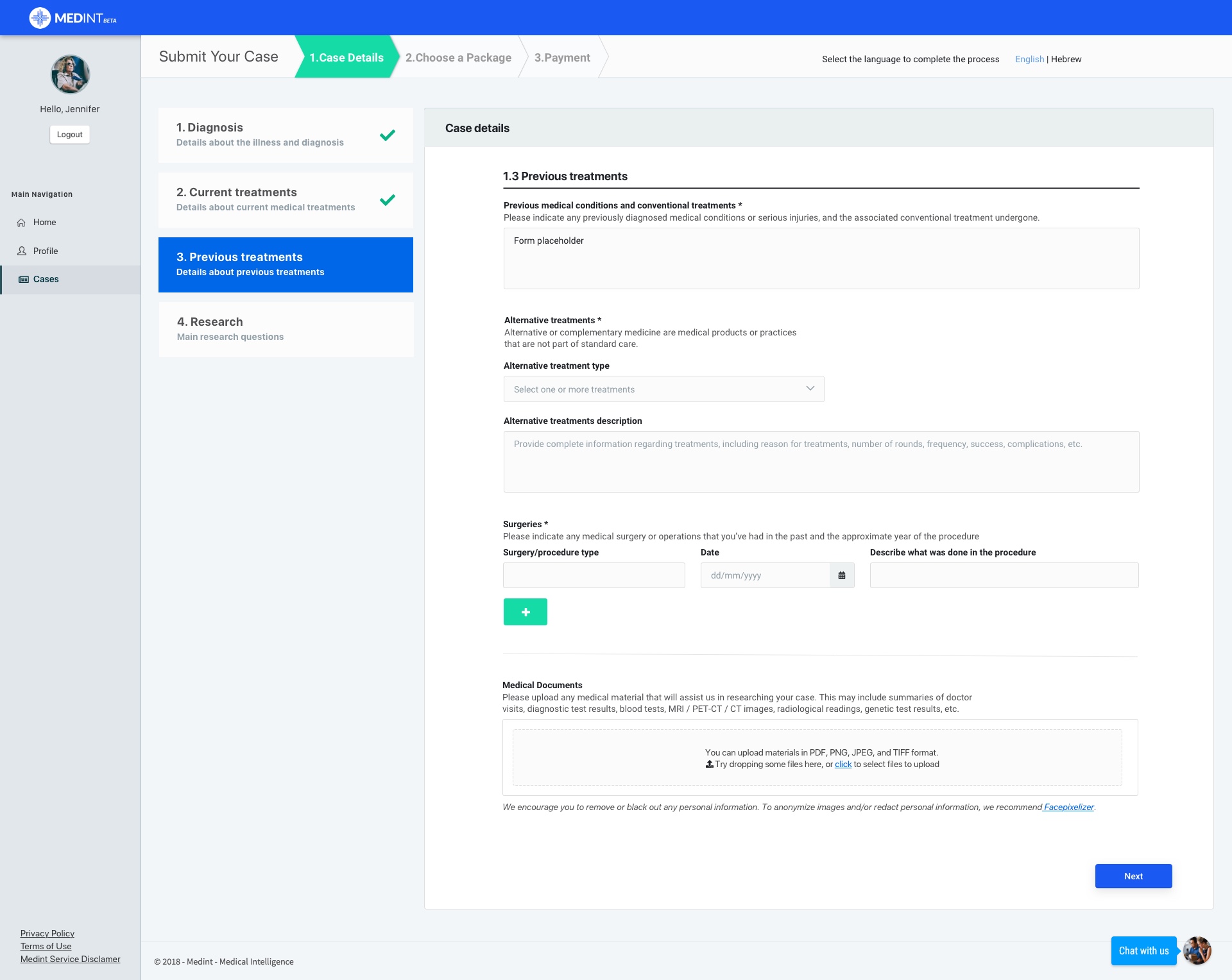
Patients onboarding form 

Patient only fill necessary information

Necessary information which wasn’t required to be filled by the patient, was moved to the researcher’s in the case’s detail form.

Patients should get as much assistance as possible

Parameters with already known answers were automatically presented to the patient.
This also benefited the machine-learning’s ability: we focused on 3 main diseases and the form fields were populated according to previous answers.

Helping patients with orientation

The form was broken into smaller chunks, with a left navigation panel for better orientation and represented as steps. This also helped the patients know how far they have progressed with the onboarding process.

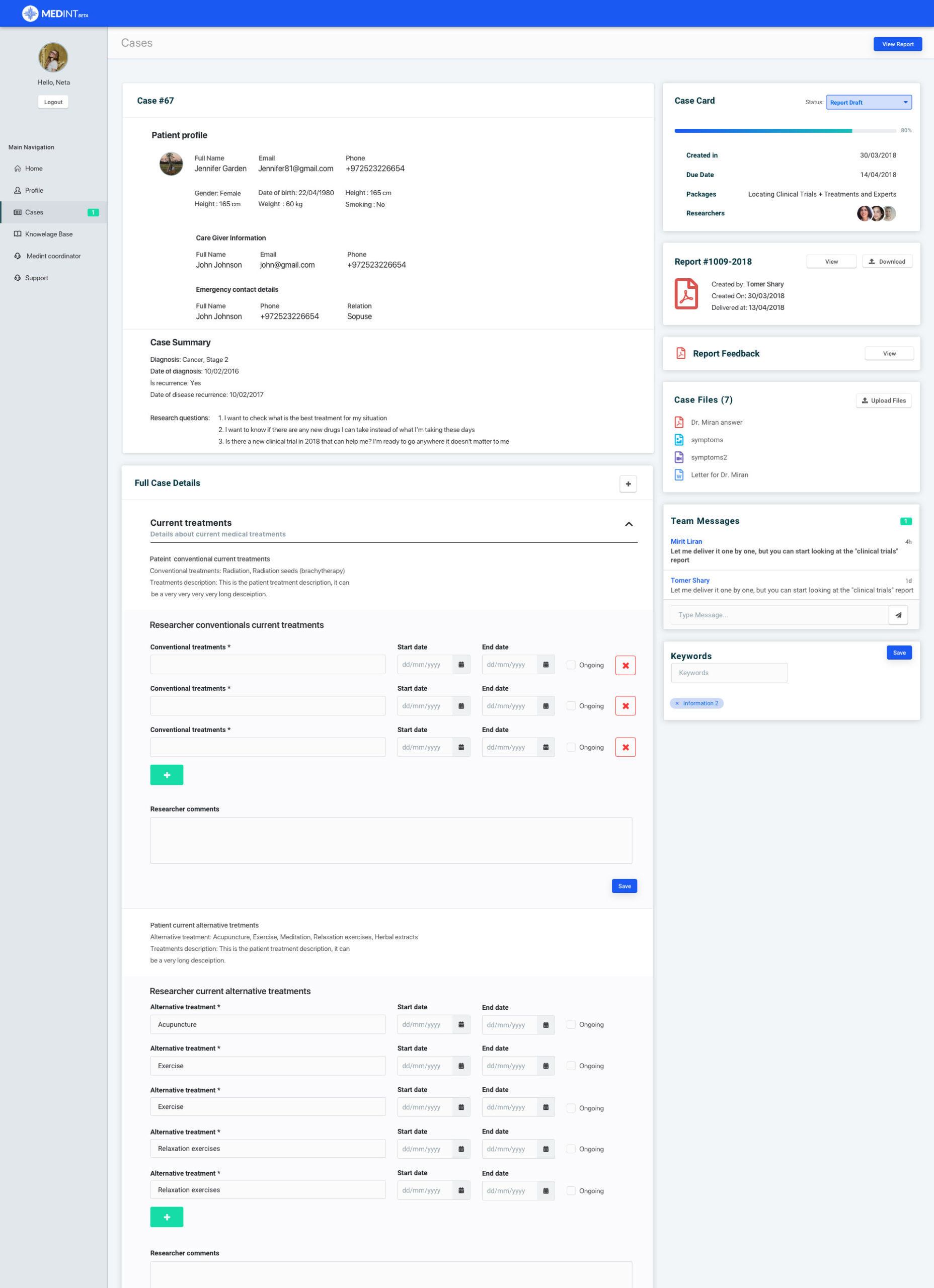
Researchers case details form 

Researcher fills in more information

Most of the time researchers need to add more information on top of what the patients filled in, so we removed these fields from the patients form and moved them to the researchers form. 

Making sure researchers won’t skip steps

To make sure the researcher won’t skip the initial information gathering voice call, the first view of the case details was locked in an edit view until the case was filled in, and only then the researcher was able to move forward with the case. 

Helping researcher with orientation

To make sure the researcher won’t skip the initial information gathering voice call, the first view of the case details was locked in an edit view until the case was filled in, and only then the researcher was able to move forward with the case. 

    • Upper part – presents the patients answers which the researcher can’t edit.


    • Bottom part  – contains the fields that require the researcher to fill in. In order to make this easier for the researcher, known information was automatically populated. 

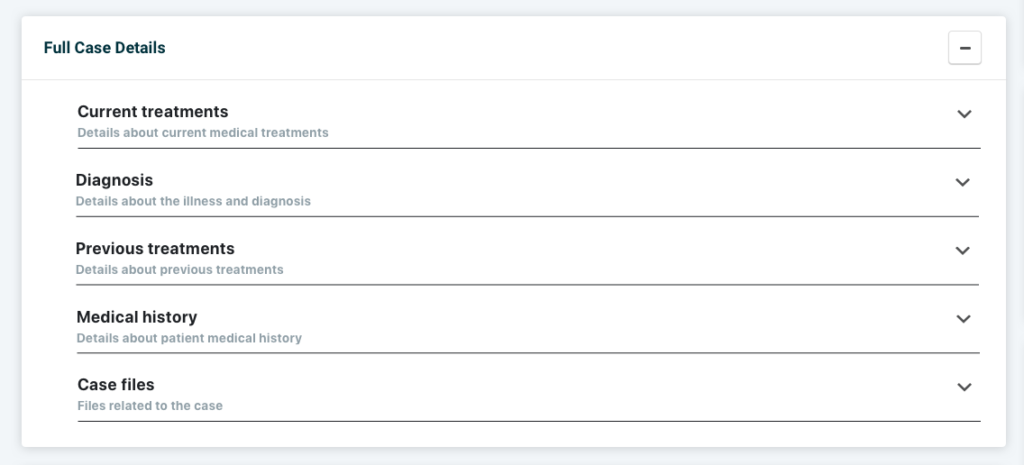
Expand and collapse

Most of the time researchers need to add more
information on top of what the patients filled in, so
 we removed these fields from the patients form and
 moved them to the researchers form. 

Conclusion

At this point we needed to examine our solution, because even though we made the patients’ experience better,
we did it on the expense of the researchers, by giving then more tasks in information gathering,
while still needing to work with a long cumbersome form.
Nevertheless, we had to follow with this solution because the patients are Medint customers,
and we set the improve researchers’ workflow on a future date.